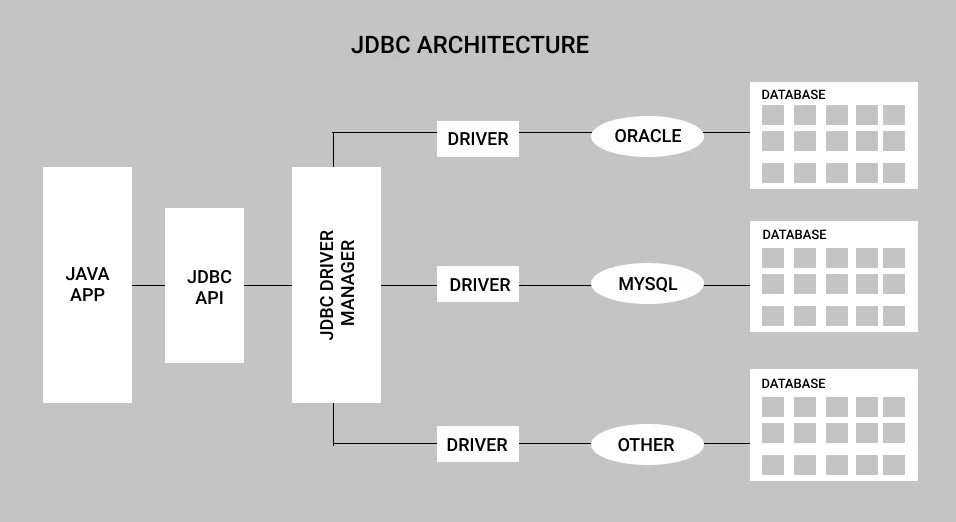
Steps to connect with Database

In this blog, we can directly connect with the database and perform the query execution
Steps:
Load the Driver:
Class.forName("com.mysql.jdbc.Driver")Create a Connection:
Connection con = DriverManager.getConnection("jdbc:mysql://127.0.0.1:3306/dbname", "root" , "root");Create query, Statement, PreparedStatement, CallableStatement
e.g
String q = "SELECT * FROM students";Statement stmt = con.createstatement();ResultSet set = stmt.executeQuery(q);Process the data:
while(set.next()){int id = set.getInt("studentID");String name = set.getString("studentName");System.out.println(id);System.out.println(name);}Close the Connection:
con.close();
Comments
Join the discussionNo comments yet. Be the first to comment.